

How to Apply for Government Jobs in Pakistan Online — NJP, SPSC & STS Complete Guide 2026
Author: Danial
Category: Career Advice / Job Hunting
Reading Time: 11 Minutes
Last Updated: October 21, 2026
Almost every government job in Pakistan is now applied for online — but each organisation uses a different portal, and a small mistake on the wrong portal can get your application rejected. This guide walks you through the three application routes you will use most: the National Job Portal (NJP) for federal jobs, SPSC for Sindh government jobs, and STS for testing-service recruitment step by step, with the mistakes to avoid.
Before You Apply Prepare These Documents First
Every portal asks for the same basics. Prepare scanned copies (clear, readable, within the file-size limit shown on the portal) before you start:
- CNIC (front and back)
- Recent passport-size photograph with a plain background
- Educational certificates and degrees (Matric onwards, with mark sheets)
- Domicile certificate and PRC (Permanent Residence Certificate) — essential for Sindh and district-quota jobs
- Experience certificates, if the post requires experience
- A valid mobile number and email address — all test and interview calls come through these
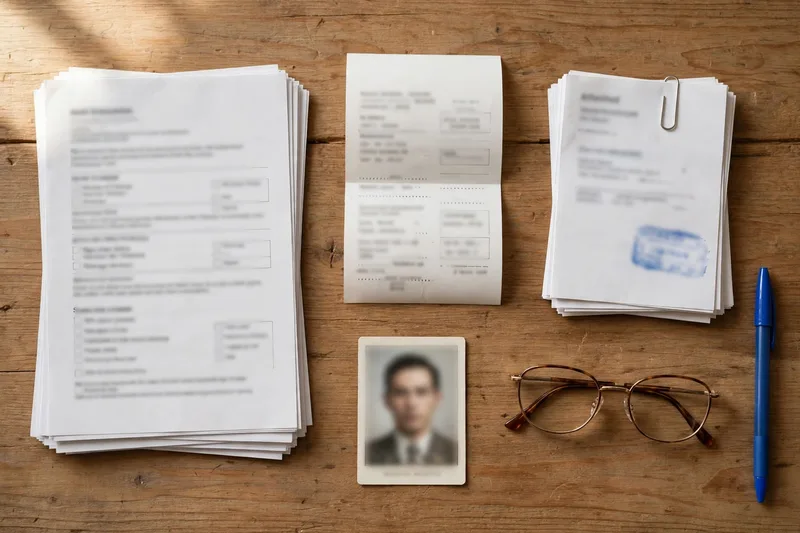
One golden rule: apply only through official portals (.gov.pk websites and the testing services named in the advertisement). Never pay an “agent” who promises a government job for money, genuine recruitment never works that way.
Method 1: Apply Online Through the National Job Portal (NJP)
The National Job Portal at njp.gov.pk is the federal government’s single window for federal ministries, divisions and many federal organisations.
- Open njp.gov.pk and click Register / Sign Up. Enter your CNIC, mobile number and email, and verify with the code sent to you.
- Complete your profile carefully — personal details, education (Matric to your highest degree), and experience. Portals shortlist from this data, so a half-filled profile means missed chances.
- Upload your photograph and documents where the profile asks for them.
- Go to Jobs / Search Jobs and filter by department, province or qualification. Open the job and read the eligibility criteria fully before applying.
- Click Apply, confirm your details, and submit. The job appears in your Applied Jobs list that entry is your proof of submission.
- Keep checking your portal inbox, email and SMS for the test or interview call.
NJP registration is free. Some NJP jobs are tested by a testing service afterwards, in which case a separate test fee and roll number slip follow the job advertisement always explains this.
Method 2: Apply Online at SPSC (Sindh Public Service Commission)
For Sindh government departments, recruitment through the Sindh Public Service Commission at spsc.gov.pk is the main route for BPS-11 and above posts, like the recent SPSC Consolidated Advertisement 05/2026.
- Create your account on spsc.gov.pk and complete the online profile (your “online form” data is reused for every SPSC application, so enter it once, correctly).
- Download the challan form and deposit the application fee currently Rs 500 for most SPSC posts at the designated bank branches. Keep the paid challan safe; you will need its details.
- Find the advertisement under Advertisements / Apply Online, select your post, fill in the challan details (branch, date, challan number), and submit before the closing date.
- Download and print your submitted application and admission slip when announced.
Important SPSC rules: applications close at 5:00 PM on the last date; manual or by-post applications are not accepted for online posts; and a separate application (with a separate fee) is required for each post.
Method 3: Apply Through STS (SIBA Testing Services)
Many Sindh departments and courts recruit through SIBA Testing Services. Applications are submitted at apply.sts.net.pk. for example, the recent District & Sessions Court Ghotki recruitment ran through STS for its senior posts.
- Register at apply.sts.net.pk with your CNIC, mobile number and email.
- Complete your profile education and domicile details must match your certificates exactly.
- Open the project or post you want, check the eligibility, and submit the online application.
- Download the deposit slip / challan generated for that post and pay the test fee at the designated bank, mobile banking or EasyPaisa/JazzCash channels named on the slip.
- When the test date is announced, download your roll number slip from the same portal and bring it, with your original CNIC, to the test centre.
Some STS recruitments are two-track: senior posts online through the portal, and junior posts (such as BPS-01 to BPS-06) by post to the department’s address. The advertisement states clearly which posts use which route — read it before assuming.
What About PPSC and the Other Commissions
The pattern is the same everywhere: PPSC (ppsc.gop.pk) for Punjab, KPPSC for Khyber Pakhtunkhwa, BPSC for Balochistan and FPSC (fpsc.gov.pk) for federal gazetted posts create an account, complete the profile, pay the prescribed fee through the channels named in the advertisement, apply before the closing date, and keep your tracking/application number safe. See the latest commission openings in our Government Jobs section.
7 Common Mistakes That Get Applications Rejected
- Wrong domicile district — district-quota jobs (common in Sindh) reject out-of-district candidates automatically.
- Applying after the deadline — portals close on time; SPSC closes at 5 PM, not midnight.
- Unpaid or wrong challan — fee deposited for the wrong post, or challan details entered incorrectly.
- Blurry or wrong documents — unreadable scans and photos with busy backgrounds are rejected.
- Fake “last date extension” news — trust only the portal and the original advertisement, not forwarded WhatsApp messages.
- Applying for ineligible posts — check age, education and domicile twice; the fee is never refunded.
- Losing the application number — screenshot or write down every confirmation; you need it for slips and results.
After You Apply What Happens Next
Shortlisting is done on the criteria in the advertisement (education, domicile, screening test where applicable). Test dates and roll number slips are announced on the same portal where you applied, and interview calls come by SMS, email and portal notice. While you wait, prepare a proper CV our guide on how to write a professional CV for freshers covers it step by step and check what your target post pays in our BPS Salary Chart 2026. New vacancies are added daily in the latest jobs list apply early instead of on the last day.
For women candidates: also read our complete guide to government jobs for women in Pakistan — it explains the women quota, the departments that hire the most women, and how to apply safely.
FAQs
Q1: Is registration on the National Job Portal free?
Yes, registering and applying on njp.gov.pk is free. If a specific job involves a testing service, that service may charge a separate test fee, which the advertisement states clearly.
Q2: What is the SPSC application fee?
For most SPSC posts the application fee is Rs 500, deposited through the SPSC challan at the designated banks. Always confirm the amount in the advertisement for your post.
Q3: Can I apply for government jobs from my mobile phone?
Yes, all three portals work on mobile browsers, but a desktop or laptop is recommended for filling long forms and uploading documents without errors.
Q4: I deposited the fee but forgot to submit the online form. Am I applied?
No. Fee deposit alone is not an application — you must complete and submit the online form before the closing date. The fee is not refundable, so always submit the form first where the portal allows it.
Q5: How will I know if I am shortlisted?
Shortlists, test schedules and roll number slips are published on the same portal where you applied, and calls are also sent by SMS and email to the number and address in your profile.
Pingback: How to Apply for PM Youth Chromebook Scheme in Pakistan (2026 Guide)